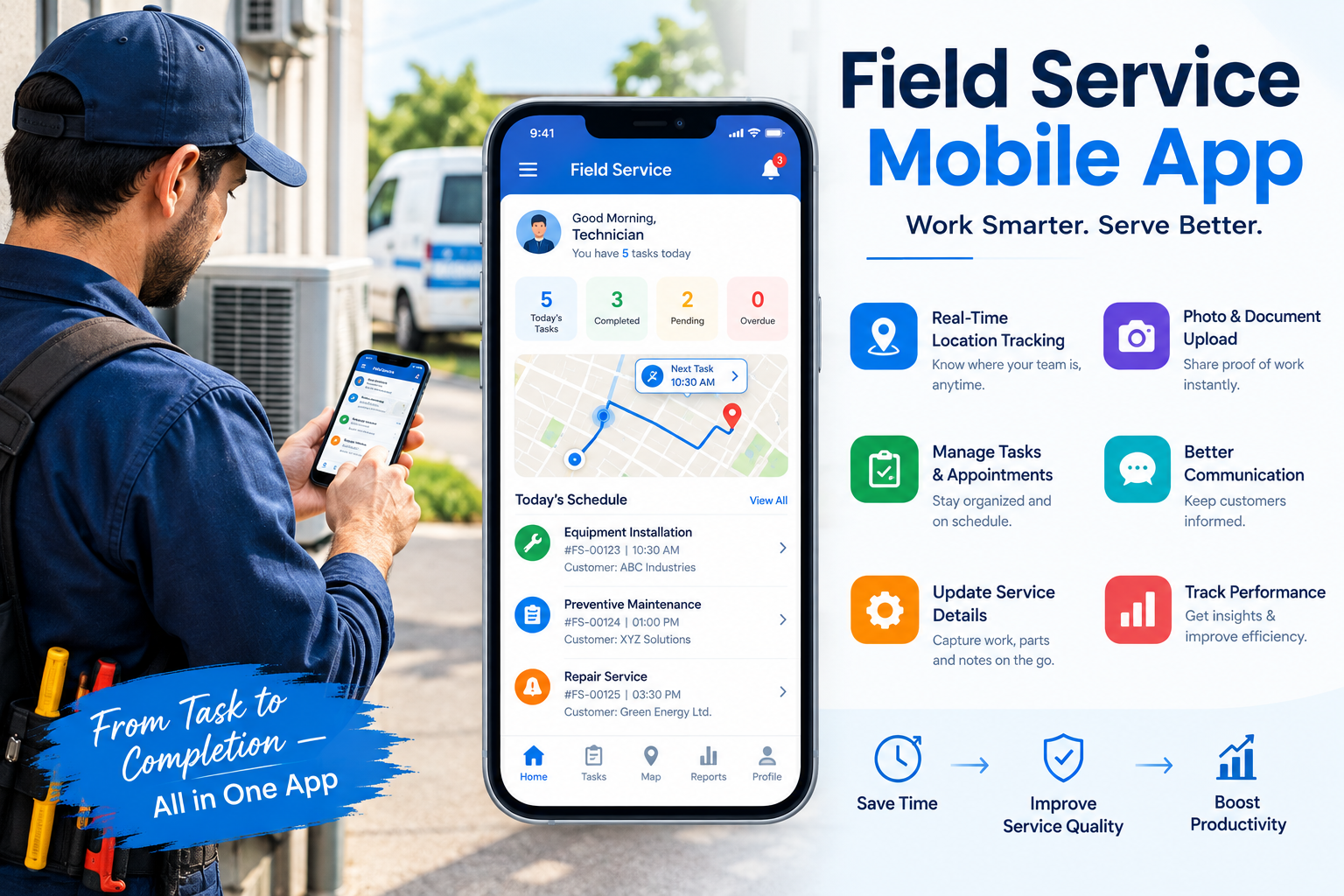
Field service teams rarely work in the same place at the same time. Dispatchers coordinate activities from the office, technicians travel between customer locations, managers monitor performance, and administrative employees process information generated in the field. Keeping everyone aligned can become increasingly difficult as service demand grows.
Effective Field Service Management Software can help organizations create a more coordinated working environment by connecting schedules, job information, field activity, and operational updates. Instead of depending heavily on phone calls, paper documents, separate calendars, and manual processes, teams can work from a clearer operational picture.
Stronger workforce coordination can reduce confusion, support faster decisions, and help technicians spend more of their working day focused on productive assignments.
Why Workforce Coordination Becomes Complicated
Coordinating a small field team can often be handled informally. Dispatchers may know each technician’s availability and capabilities without consulting detailed records.
As the workforce expands, that approach becomes difficult to sustain.
More technicians create more schedules. Additional customers increase appointment volumes, while wider territories introduce greater travel complexity.
Field Service Management Software can provide structure as these moving parts multiply.
Connect Office and Field Activities
One of the biggest challenges is keeping office employees and technicians aligned.
Dispatchers may change an assignment while a technician is traveling. Customer information may be updated after the original schedule has been created.
When information does not flow efficiently, employees can end up working from different versions of the same plan.
A connected process helps reduce these gaps.
Coordinate Technician Assignments More Effectively
Assigning work involves more than identifying someone with an open calendar slot.
Dispatchers may need to consider technician capabilities, existing workload, location, travel requirements, job priority, and customer commitments.
Field Service Management Software can make relevant operational information easier to evaluate during assignment planning.
Match Capacity With Demand
Technician capacity should be considered realistically.
An employee with a small opening between appointments may technically appear available, but travel requirements could make another assignment impractical.
Better coordination means considering how each new job fits into the technician’s complete working day.
This can help organizations avoid unrealistic schedules.
Reduce Communication Gaps
Communication is essential in field operations, but too much manual communication can become inefficient.
If technicians must call the office for every job detail or dispatchers need to contact employees individually for routine schedule changes, valuable time is lost.
Field Service Management Software can help create a clearer flow of information between teams.
Keep Routine Information Accessible
Technicians should be able to access relevant information about their assignments without unnecessary delays.
Likewise, office teams benefit when field updates are recorded through a consistent process.
Reducing routine communication does not mean eliminating collaboration. Instead, it allows conversations to focus on situations that genuinely require discussion or problem-solving.
Improve Coordination During Schedule Changes
Unexpected events are normal in field service.
A customer may cancel. An urgent request could arrive. A technician may become unavailable, or a complicated assignment might require more time than expected.
These situations require rapid coordination.
Field Service Management Software can give dispatchers better visibility into workloads before they reorganize assignments.
Understand the Impact Before Making Changes
Moving one appointment can affect several others.
A technician reassigned to an urgent job may have customer commitments later in the day. Another employee may have more capacity but require additional travel.
Dispatchers need to evaluate these consequences before making changes.
Greater operational visibility can help them choose the option that creates the least disruption.
Balance Workloads Across the Team
Workload imbalance can undermine workforce coordination.
Some technicians may receive more assignments than they can reasonably complete, while others have unused capacity.
The problem is not always obvious when schedules are managed separately.
Field Service Management Software can help planners compare workloads across the workforce.
Look Beyond Appointment Counts
Two employees with the same number of jobs may have very different working days.
One technician might complete short assignments within a compact area. Another may handle complex work requiring significant travel.
Effective coordination considers actual effort, not simply the number of appointments.
This can create more balanced and achievable schedules.
Help Technicians Prepare for Each Visit
Coordination also means making sure technicians receive the information they need before arriving.
Missing customer details or unclear job instructions can create delays and unnecessary calls to the office.
Field Service Management Software can make important assignment information easier to access as part of the technician’s workflow.
Preparation Supports Independence
Well-informed technicians can handle routine situations with less administrative support.
They can review available job information before beginning work and understand what is expected from the appointment.
This allows dispatchers to concentrate on coordinating the broader operation rather than repeatedly supplying basic details.
Improve Coordination Across Service Territories
Geographically distributed teams introduce additional challenges.
Technicians may operate across several towns, regions, or service zones. Assigning work without considering location can create excessive travel.
Field Service Management Software can help planners consider geographical factors when organizing workloads.
Reduce Unnecessary Movement
Better territory coordination can help technicians spend less time traveling between distant assignments.
However, location should not become the only factor used for allocation.
Skills, workload, priority, and customer commitments remain important.
The strongest decisions balance geography with the other requirements of the assignment.
Create More Consistent Handoffs
Field service frequently involves information passing from one employee or department to another.
A customer request may begin with an office team, move to a dispatcher, reach a technician, and return as a completed job record.
Every handoff creates an opportunity for information to become incomplete.
Field Service Management Software can support more structured information flows.
Reduce Repeated Data Handling
When employees repeatedly copy information between separate processes, administrative effort increases.
Details may also be entered incorrectly or become outdated.
More connected workflows can reduce unnecessary duplication and make important information easier to follow throughout the lifecycle of an assignment.
Give Managers Greater Operational Awareness
Managers need to understand whether workforce coordination is producing the desired results.
They may want to examine technician utilization, workload distribution, travel patterns, job duration, or recurring scheduling difficulties.
Field Service Management Software can help organize operational information for more informed analysis.
Identify Coordination Problems Early
Patterns can reveal issues that individual incidents do not.
If one territory regularly experiences delays, workload distribution may need attention. If technicians frequently require schedule changes, original planning assumptions could be unrealistic.
Recognizing these patterns allows managers to address the underlying process rather than repeatedly reacting to individual problems.
Support Coordination as the Workforce Grows
Growth increases the number of relationships that must be coordinated.
A dispatcher managing five technicians has a relatively limited number of schedules to understand. Managing dozens of technicians across multiple territories is significantly more complicated.
Field Service Management Software can provide a scalable operational structure.
Reduce Dependence on Individual Knowledge
Organizations should not depend entirely on one experienced dispatcher remembering every technician’s strengths, workload, and customer history.
Centralized information makes operational knowledge more accessible to the wider team.
This can help maintain coordination even as employees, workloads, and service territories change.
Strengthen the Customer Experience
Customers may never see the internal coordination behind their appointment, but they experience the results.
Poor coordination can lead to late arrivals, unsuitable technician assignments, or employees arriving without sufficient information.
Stronger coordination helps create more organized service delivery.
Make Reliability a Team Outcome
Dependable service should not rely on one employee solving every problem individually.
Dispatchers, technicians, managers, and administrative teams all contribute to the customer experience.
Field Service Management Software can help these groups work from more consistent information and coordinated processes.
Conclusion
Successful field service depends on people working together even when they are physically separated throughout the day. Dispatchers need scheduling visibility, technicians need accurate information, and managers need a clear understanding of operational performance.
Field Service Management Software can help connect these responsibilities through more structured workflows and accessible information. Better coordination can reduce communication gaps, balance technician workloads, simplify schedule changes, and improve the flow of information between field and office teams.
As operations expand, this coordination becomes even more important. A connected approach allows organizations to manage increasing complexity without relying entirely on manual communication and individual knowledge.
When the workforce operates from a clearer shared picture, teams can respond more effectively to changing conditions while delivering more consistent and productive field service.